下载
https://opencv.org/releases/
文档
https://docs.opencv.org/4.12.0/
安装配置系统环境
Path 添加 D:\Program Files\opencv\build\x64\vc16\bin
vs使用
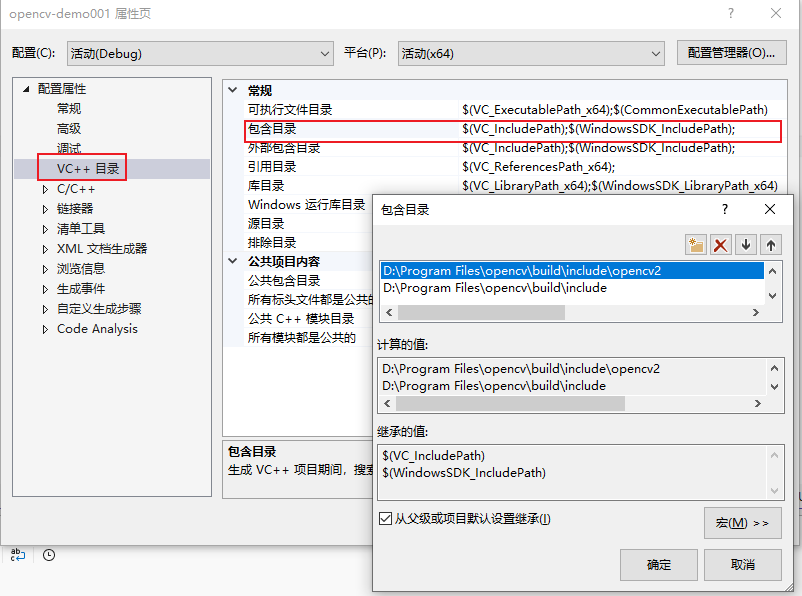
选择项目—>属性—>VC++目录—>包含目录—>编辑
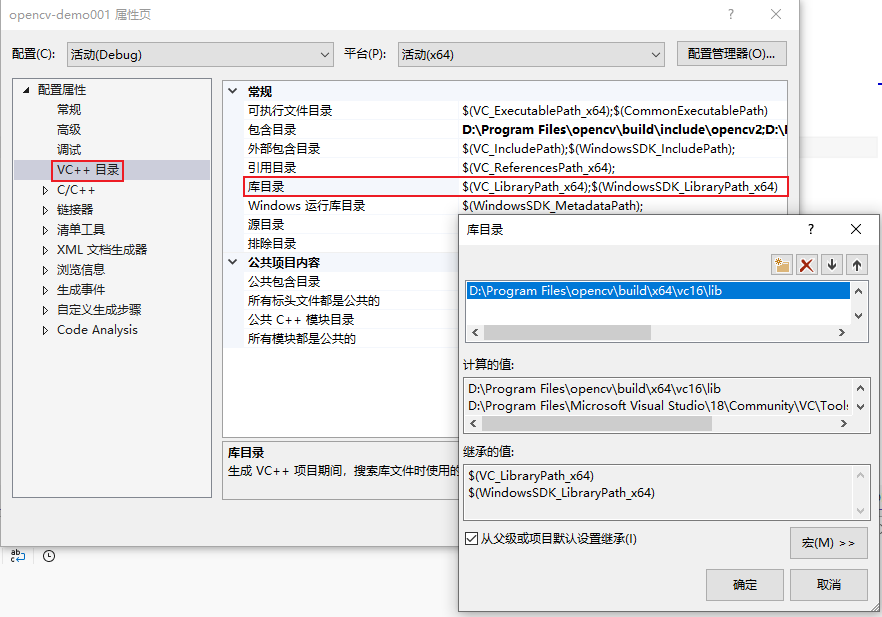
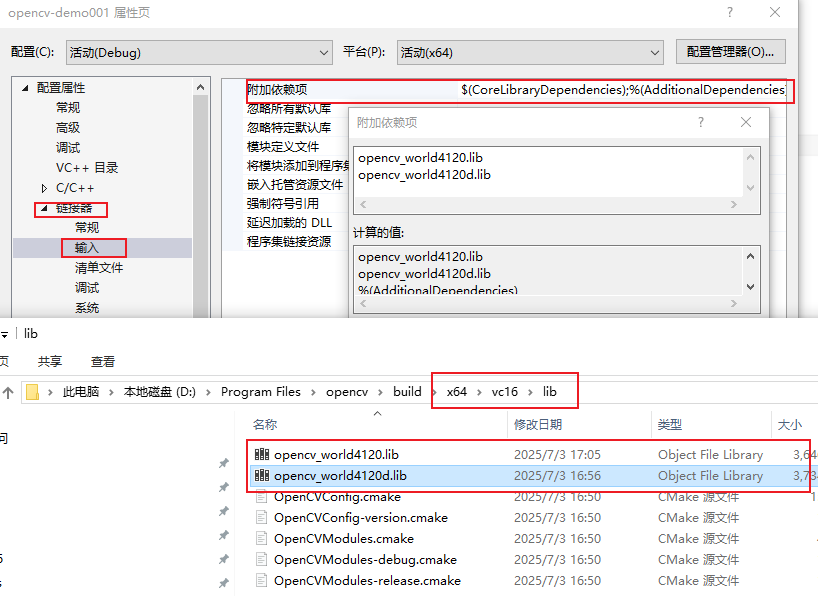
项目—>属性—>链接器—>输入—>附加依赖项—>编辑
opencv_world4120.lib:Release 版本,用于最终发布的程序。opencv_world4120d.lib:Debug 版本,用于开发调试阶段。(只需要填这个就好)
测试使用
#include <opencv2\opencv.hpp>
#include <iostream>

using namespace std;
using namespace cv;

int main()
{
	Mat img;
	img = imread("D:/111.png");
	if (img.empty())
	{
		cout << "null" << endl;
		return 0;
	}
	imshow("test", img);
	waitKey(0);
	return 0;
}